Local image generation is usually pitched as a GPU hobby. ComfyUI's own documentation quietly disagrees, in exactly one flag: --cpu — "Use CPU for everything (slow)." per the startup-flags reference, "Works even if you don't have a GPU" per the README. The docs never say how slow CPU mode is, how much memory it needs, or whether it survives a Docker Desktop VM with an 8 GB ceiling. We measured all three. So we ran it.
This is an executed tutorial: every command below comes from a real session on 22 July 2026, in a disposable python:3.13-slim container pinned to ComfyUI v0.28.0 (released 15 July 2026). We hit two traps on the way — a torchaudio ABI mismatch that crashed the first launch, and an out-of-memory kill that took the container down mid-sampling. We still finished with a 292 KB watercolor, generated headlessly through ComfyUI's HTTP API in just under 51 seconds.
ComfyUI is the node-graph front end for diffusion models — you wire Load Checkpoint into samplers and decoders on a canvas instead of filling in a form. It sits at ★121.7k GitHub stars (RECATOOLS traction data, 22 Jul 2026), and Comfy Org raised $30M in April 2026 at a $500M valuation. Background lives in our ComfyUI directory entry.
Step 1: A disposable container, pinned to v0.28.0
Everything runs in a throwaway container so the teardown is one command. We publish 8188 up front — ComfyUI's default server port — and clone at the v0.28.0 tag rather than master so this stays reproducible. The clone URL is the manual-install docs' own; Comfy-Org/ComfyUI and comfyanonymous/ComfyUI are the same repository. If you would rather keep the port mapping and the volume in a file than in your shell history, our Docker Compose converter turns a docker run line like the one below into a docker-compose.yml.
docker run -d --name comfyui-box -p 8188:8188 -v ~/comfyui-box:/data python:3.13-slim sleep 7200
docker exec comfyui-box bash -c "apt-get update -qq && apt-get install -y -qq git curl"
docker exec comfyui-box git clone --depth 1 --branch v0.28.0 https://github.com/Comfy-Org/ComfyUI.git /app
Python 3.13 is not an arbitrary choice: the system-requirements page says "Python 3.13 is very well supported and recommended", flags 3.14 as workable "but some custom nodes may have issues", and keeps 3.12 as the fallback. The official base image gives us exactly that with nothing else installed.
Step 2: PyTorch CPU wheels — the line the docs don't print
The official instructions have a gap. The manual-install page publishes torch commands for NVIDIA (--extra-index-url .../whl/cu130), AMD ROCm, and Apple silicon — and no CPU line at all. We checked the docs, the README, and the docs' own llms-full.txt export: no whl/cpu install command exists in any of them. So the torch line below is ours, not the docs' — it mirrors their --index-url pattern but points at PyTorch's standard CPU wheel index. The dependencies then go in exactly as documented: pip install -r requirements.txt.
docker exec comfyui-box bash -c "cd /app && pip install torch torchvision --index-url https://download.pytorch.org/whl/cpu"
docker exec comfyui-box bash -c "cd /app && pip install -r requirements.txt"
DEPS-OK
docker exec comfyui-box python -c "import torch; print('torch', torch.__version__)"
torch 2.13.0+cpu
That +cpu suffix matters — remember it when trap #1 arrives. The 2.13 version clears the docs' floor of "PyTorch 2.4 and above is supported" with plenty of room.
The official comfy-cli installer isn't an option because its docs give no CPU-only path. The getting-started page warns "You still need to install CUDA, or ROCm depending on your GPU." and documents no --cpu install option. For a CPU container, manual install is the only docs-verifiable route. For reference:
# From docs.comfy.org/comfy-cli/getting-started — NOT run in this session
pip install comfy-cli
comfy install
comfy launch            # background mode: comfy launch --background / comfy stop
Step 3: The checkpoint — chosen by its license, not just its size
ComfyUI ships no model. The docs point first-time users at exactly one file: v1-5-pruned-emaonly-fp16.safetensors — Stable Diffusion 1.5 in fp16, 2.13 GB, hosted ungated in Comfy-Org/stable-diffusion-v1-5-archive. We downloaded it with HF's direct /resolve/ form of the docs' link, into models/checkpoints/ per the README ("Put your SD checkpoints (the huge ckpt/safetensors files) in: models/checkpoints").
curl -sL -o models/checkpoints/v1-5-pruned-emaonly-fp16.safetensors \
    "https://huggingface.co/Comfy-Org/stable-diffusion-v1-5-archive/resolve/main/v1-5-pruned-emaonly-fp16.safetensors"
ls -la models/checkpoints/
-rw-r--r-- 1 root root 2132696762 Jul 22 01:26 v1-5-pruned-emaonly-fp16.safetensors
The license was as decisive a factor as the file size. SD 1.5 is under CreativeML OpenRAIL-M — the model card's own license tag — which permits commercial use and redistribution subject to use-based restrictions (no illegal or harmful content, and the same restrictions must be passed downstream to anyone you give the model to). Nothing in it is revenue-capped or revocable.
The model we expected to pick, stabilityai/sd-turbo, lost on precisely that ground. Its card advertises that "A single step is enough to generate high quality images", which sounds ideal for CPU — but its LICENSE.md is now the Stability AI Community License, under which commercial use is only permitted below "USD $1,000,000 in annual revenue", every grant is explicitly "revocable", and "any licenses granted to You under this Agreement shall terminate as of such date" once you cross the threshold. It is also a 5.21 GB fp32-only download — 2.4× the SD 1.5 file. Legally usable today; not a foundation we would tell readers to build on.
| Candidate | License (verified 22 Jul 2026) | File | Call |
|---|---|---|---|
| SD 1.5 fp16 (Comfy-Org archive) | CreativeML OpenRAIL-M — commercial OK, use-based restrictions | 2.13 GB | Our pick |
| stabilityai/sd-turbo | Stability AI Community License — revocable, $1M revenue cap | 5.21 GB (fp32 only) | Runner-up |
| segmind/SSD-1B | Apache-2.0 (most permissive of the field) | SDXL-class, 1.3B params | GPU-only footnote |
Two candidates fell out earlier: segmind/tiny-sd, because no primary source confirms its distilled diffusers-format UNet loads through ComfyUI's Load Checkpoint node, and sdxl-turbo, whose license signals conflict on the card as of 22 Jul 2026 — the card tag says non-commercial while the repo LICENSE.md says Community License. If you have a GPU and want the cleanest license in the field, SSD-1B's Apache-2.0 is worth a look.
Trap #1: torchaudio's ABI mismatch
First launch. It fell over before the server even bound a port:
python main.py --cpu --listen 0.0.0.0
Traceback (most recent call last): … import torchaudio …
OSError: Could not load this library: /usr/local/lib/python3.13/site-packages/torchaudio/lib/_torchaudio.abi3.so
The problem is that requirements.txt leaves torch, torchvision and torchaudio unpinned. We installed torch and torchvision from the CPU wheel index in step 2 — but pip install -r requirements.txt then pulled torchaudio, built against a different torch ABI than our 2.13.0+cpu. The compiled extension refuses to load. The fix is one line: reinstall torchaudio from the same CPU index the torch build came from.
pip install --force-reinstall torchaudio --index-url https://download.pytorch.org/whl/cpu
torchaudio 2.11.0+cpu
The rule generalises. On a CPU-only box, every torch-family package must come from the same wheel index. Mixed indexes produce exactly this OSError, and nothing in the install output warns you beforehand.
Step 4: First boot — "Device: cpu"
python main.py --cpu --listen 0.0.0.0
[INFO] Total VRAM 7937 MB, total RAM 7937 MB
[INFO] pytorch version: 2.13.0+cpu
[INFO] Device: cpu
[INFO] ComfyUI version: 0.28.0
[INFO] Starting server
[INFO] To see the GUI go to: http://0.0.0.0:8188
That first line is telling: "Total VRAM 7937 MB" on a machine with no GPU. In CPU mode both figures are the same pool — the container's system RAM, which is the Docker VM's 8 GB minus overhead. That number is about to become the whole story.
One docs-only aside before we generate: if your checkpoints live outside the ComfyUI tree (say, on the /data volume we mounted), the README's supported route is the search-path config file, not symlinks:
# From the README / startup-flags reference — NOT run in this session
# rename extra_model_paths.yaml.example to extra_model_paths.yaml and edit, or:
python main.py --extra-model-paths-config /data/extra_model_paths.yaml   # repeatable flag
Trap #2: The OOM kill — the number nobody publishes
We queued the obvious first job: 512×512, 15 steps, default launch flags. The container failed and the kernel log confirmed why:
docker inspect comfyui-box --format 'status={{.State.Status}} exit={{.State.ExitCode}} oom={{.State.OOMKilled}}'
status=exited exit=0 oom=true
docker system info | grep 'Total Memory'
 Total Memory: 7.751GiB
oom=true is the kernel's verdict: Stable Diffusion 1.5 CPU inference at ComfyUI's default settings does not fit inside a 7.751 GiB Docker Desktop VM. Ignore the reassuring exit=0 — the OOMKilled flag is the one that tells the truth. And note what we are not claiming: ComfyUI's docs state no RAM minimum for CPU mode anywhere, and we won't invent one. What we can report is our own measurement — 8 GB VM, 512×512 at 15 steps, dead; and the configuration below, alive.
The docs' memory-relief flags are no help here. The startup-flags reference carries a family of VRAM-economy switches aimed at small GPUs:
# From ComfyUI's startup flags (see its --help output and docs) — GPU flags, NOT run in this session
python main.py --lowvram    # and siblings — they manage GPU VRAM,
                            # not system RAM; no help in --cpu mode
An open feature request in the repo (issue #10161) confirms the gap from the inside: the memory-saving arguments cannot be used with CPU mode, and CPU-only devices currently have no offload-to-storage option. On CPU, your levers are the launch-time cache behaviour, the attention implementation, and the size of the job itself.
The run that fits in 8 GB
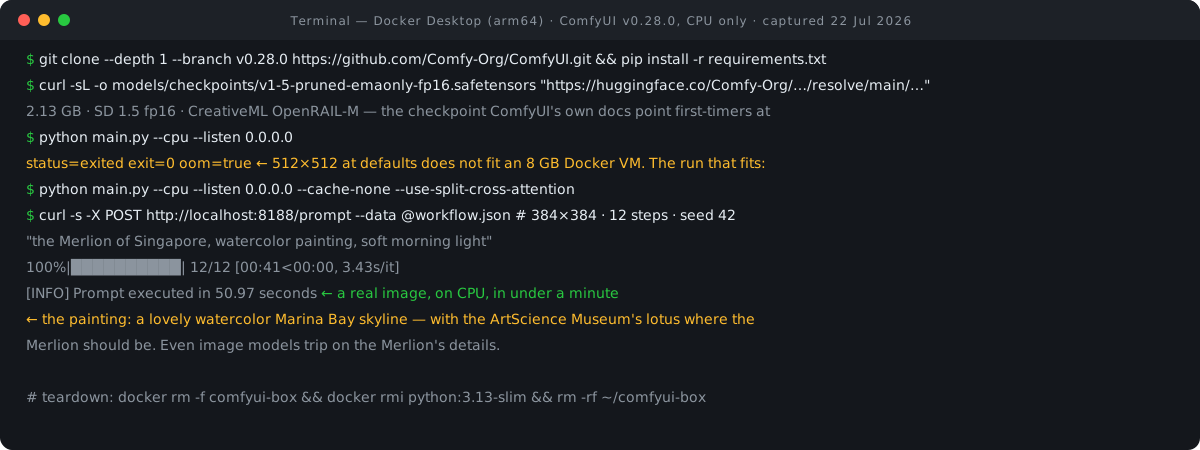
So we pulled all three levers: restart the container, relaunch with --cache-none (don't keep models cached in RAM between nodes) and --use-split-cross-attention (a lower-peak-memory attention path), and shrink the job to 384×384 at 12 steps.
python main.py --cpu --listen 0.0.0.0 --cache-none --use-split-cross-attentionThat combination completed every run we queued afterwards. Job size is the easiest of the three levers to keep adjusting, and our image-gen resolution picker lists the native, bucket-aligned dimensions for SD 1.5 and its bigger cousins, so a smaller job still lands on sizes the model was trained around. If your Docker VM has more memory to give, raising its allocation is the honest first fix — but the point of this exercise was to find the floor, and the floor is real.
Step 5: Generate over the API — no browser required
ComfyUI's server speaks HTTP natively: the docs' route reference gives POST /prompt to "submit a prompt to the queue", with results retrievable via GET /history and GET /view. Our workflow.json is the default text-to-image graph in API format — the same six-node graph the docs teach: CheckpointLoaderSimple feeding two CLIPTextEncode nodes (positive and negative prompt), an EmptyLatentImage at 384×384, a KSampler (seed 42, 12 steps, euler, cfg 7.5) — the node the docs call "the core of the entire workflow, where the entire noise denoising process occurs" — then VAEDecode and SaveImage. The prompt: "the Merlion of Singapore, watercolor painting, soft morning light".
curl -s -X POST http://localhost:8188/prompt -H 'Content-Type: application/json' --data @workflow.json
{"prompt_id": "05c3c8b0-9561-4c52-8854-10f5f93a69fc", "number": 0, "node_errors": {}}
docker exec comfyui-box tail -2 /tmp/comfyui.log
100%|██████████| 12/12 [00:41<00:00,  3.43s/it]
[INFO] Prompt executed in 50.97 seconds
curl -s "http://localhost:8188/view?filename=merlion_00001_.png&type=output" -o merlion.png
ls -la merlion.png
-rw-r--r-- 1 jeffreytan wheel 292558 merlion.png
Twelve steps at 3.43 seconds each, 50.97 seconds end to end including model load and VAE decode, and a 292 KB PNG on disk. The entire CPU price, measured, comes to about a minute per small image. Ours came out square at 384×384; if you want a different shape, our AI image aspect ratio calculator works out the width and height for a given ratio, snapped to multiples of 64, before you edit the latent node. Not a workflow for production volume — but entirely workable for developing and testing node graphs that will later run on GPU hardware.
The image itself — and what it got wrong

As is common in this guide series, the image model tripped on the Merlion's details. SD 1.5 painted the skyline convincingly and put the wrong landmark at its centre. Text models flub the Merlion's facts; image models flub its face.
A licensing note on the picture — we publish our own output here. If you build on this model, read the OpenRAIL-M use-based restrictions against your own use case rather than assuming anything about outputs.
What greets you at :8188
The browser leg was short by design, but worth recording. On first load, ComfyUI v0.28.0 opens a Templates modal over the graph canvas: a sidebar of All Templates, Popular, Use Cases, Utility, Getting Started and Node categories, with generation types split into Image, Video and Audio. The Getting Started cards map the on-ramp — "1.1 Starter – Text to Image" ("Learn the basics of image generation in ComfyUI — load a model, write prompts,…"), "1.2 Starter – Image to Video" (which mentions Wan 2.2), and "1.3 Starter – Product Photography" (which mentions Qwen). The top bar carries the Run button and a queue counter reading "0 active", the tab titles itself "*Unsaved Workflow - ComfyUI", and the canvas footer shows T/I/N/V/FPS debug counters. Everything else we did through the API.
Why we installed zero custom nodes
We installed no custom nodes and no ComfyUI Manager, and that was a scope decision, not an omission. The default text-to-image graph needs neither, and skipping them keeps the container's supply-chain surface at zero. That caution comes straight from Comfy Org itself: their January 2025 security update announced that the node registry would block eval and exec ("Both functions can result in arbitrary code execution") on a warnings-now, blocked-in-one-month, banned-in-three timeline, restricted subprocess pip install calls, added code-obfuscation detection and automated scanning with alerts to a public Discord security channel — and cited the real-world "ComfyUI_LLMVISION and ultralytics" compromises as the reason. If you do extend a ComfyUI install, prefer registry-validated nodes and note the existence of comfy node validate.
Two licenses, one app
ComfyUI's core is under the "GNU GENERAL PUBLIC LICENSE" (Version 3, 29 June 2007). In practice, running ComfyUI and publishing its images is unrestricted. Only someone redistributing a modified version must provide source under GPL-3.0; your outputs are not GPL-encumbered. The front end is a separate animal: the README notes it is "now hosted in a separate repository" and shipped as compiled JS on PyPI, pinned in requirements.txt as comfyui-frontend-package==1.45.21 alongside comfyui-workflow-templates==0.11.12. If you audit the codebase, know that the UI you see is not in the repo you cloned.
Versions, limits & cleanup
Everything above is specific to ComfyUI v0.28.0 (which also shipped four security fixes under GHSA-779p-m5rp-r4h4), torch 2.13.0+cpu, torchaudio 2.11.0+cpu, Python 3.13, and a 7.751 GiB Docker Desktop VM — different memory allocations will move the OOM line, and we make no claims beyond the box we measured. Teardown is two commands:
docker rm -f comfyui-box && docker rmi python:3.13-slim
comfyui-box
2
cd ~ && rm -rf ~/comfyui-box
That removes the container, the base image, and the mounted volume directory — including the 2.13 GB checkpoint. If you plan to come back, keep the checkpoint file and skip the last command.
FAQ
Can ComfyUI really run without a GPU?
Yes. The capability is documented in the system-requirements page ("CPU - Use the --cpu parameter (slower)"), the startup-flags reference ("Use CPU for everything (slow)."), and the README. What is not documented is any performance or memory figure — our measured cost was 3.43 s per step for SD 1.5 at 384×384.
How much RAM does CPU mode need?
No primary source states a minimum, so we won't either. Our measurement: a 7.751 GiB Docker VM was OOM-killed at 512×512/15 steps on default flags, and completed 384×384/12 steps after relaunching with --cache-none --use-split-cross-attention. More VM memory moves that line; the flags and job size are the levers when it can't be moved.
Can I use the generated images commercially?
Under SD 1.5's CreativeML OpenRAIL-M, commercial use is permitted subject to use-based restrictions (no illegal or harmful content), and the outputs themselves are not what the restrictions attach to — the license governs use of the model. ComfyUI's GPL-3.0 also places no claim on outputs. As always, this is a license summary, not legal advice.
Why not sd-turbo, since one step would be twelve times faster?
While its card says "A single step is enough to generate high quality images," its license is revocable and caps commercial use at $1,000,000 annual revenue. The file is also a 5.21 GB fp32 download, 2.4× the size of the SD 1.5 fp16 model. It is faster per image, but a worse foundation to build on. If you are weighing hosted generators instead of local ones, our five-way image-generation comparison covers that decision, and the rest of our executed tutorials live on the guides hub.
- Manual installation — ComfyUI Docs (accessed 22 Jul 2026)
- System requirements — ComfyUI Docs (accessed 22 Jul 2026)
- Startup flags — ComfyUI Docs (accessed 22 Jul 2026)
- Server routes (POST /prompt, /history, /view) — ComfyUI Docs (accessed 22 Jul 2026)
- Text to image tutorial (default graph) — ComfyUI Docs (accessed 22 Jul 2026)
- comfy-cli getting started — ComfyUI Docs (accessed 22 Jul 2026)
- ComfyUI repository (README, requirements.txt, LICENSE) — GitHub (accessed 22 Jul 2026)
- ComfyUI v0.28.0 release notes — GitHub (accessed 22 Jul 2026; publish date re-verified via the GitHub release API)
- Issue #10161: memory-saving arguments unavailable in CPU mode — GitHub (accessed 22 Jul 2026)
- Stable Diffusion v1.5 archive (file sizes, gating) — Hugging Face (accessed 22 Jul 2026)
- SD 1.5 model card (creativeml-openrail-m license tag) — Hugging Face (accessed 22 Jul 2026)
- sd-turbo model card and LICENSE.md — Hugging Face (accessed 22 Jul 2026)
- SSD-1B model card (apache-2.0) — Hugging Face (accessed 22 Jul 2026)
- ComfyUI 2025 Jan Security Update — Comfy Org blog (accessed 22 Jul 2026)
- ComfyUI raises $30M — Comfy Org blog (accessed 22 Jul 2026)

View author profile → · Editorial policy